 BookDo
Online booking and scheduling
Clients book themselves. You do your work instead of answering calls
BookDo takes bookings around the clock, keeps the calendar, and calculates money and specialist payroll. It runs in the browser on any phone: neither you nor your clients need to install anything.
- We help you set up and teach you how to use it
- Clients get their own area: reschedule, cancel, chat
- One price for the company, not per employee
Create a workspace
I already have a workspace
Booking without phone calls
Clients pick the service, specialist and time themselves
Nothing to install
The workspace and the form open in a phone browser
Client area
Their bookings, rescheduling, canceling and a chat with you
We set up your workspace with you and teach you how to use it
You don't have to figure it out alone. Message or call us: we will help you add services and schedules and show you and your staff how to take bookings.
- Help with setupServices, staff, schedule, booking form, branches, integrations
- Training for you and your staffWe show how to work with the calendar, bookings, payments and clients
- We stay in touchWe answer questions on Telegram and by phone
What you get
Booking by link around the clock
Put the link in your profile, on your website, in a messenger. The client sees only the times that are free, picks several services per visit and gets a page for their booking.
Less routine for the front desk
Set the schedule for a whole month at once and copy it forward. Change a booking on the spot: add a service or a product, and the time and stock are checked automatically.
Clients stay in touch
They have their own area: they see their bookings, reschedule without calling and message you in a chat.
Haircut
Clear money
Payments by branch, and the specialist's percentage broken down by booking.
Everything on your phone
The workspace goes on your home screen like an app and updates itself. No app store needed.
Client area: their bookings, rescheduling and chat
Usually, after booking, all a client has is a messenger thread. In BookDo they get their own page and sort out half of their questions themselves.
- No password: they sign in with a button on their booking page
- All bookings in one place: upcoming and past
- Reschedule to another free time without calling the front desk
- Cancel and rebook in one tap
- Chat with you: messages arrive in the shared "Chats" section
- Your logo and name, light and dark theme
- Clients do not need to install anything either
Haircut
A workspace on your phone with nothing to install
BookDo opens in the browser. If you want an icon on your home screen, add it in one tap: it works like an app, only without an app store or manual updates.
- Works on any phone and computer
- Right under your thumb: dashboard, calendar, bookings, chats
- A badge in the menu when a new booking arrives, and you can see which ones are new
- Confirm a booking, record a payment or add a service right from your phone
- New features appear automatically, with nothing to update
- Dark theme, Russian and English
Messengers, listing sites and sales services already connect
Client messages and orders from sales services arrive in the same workspace. There is nothing to copy over by hand.
All features →What the workspace looks like
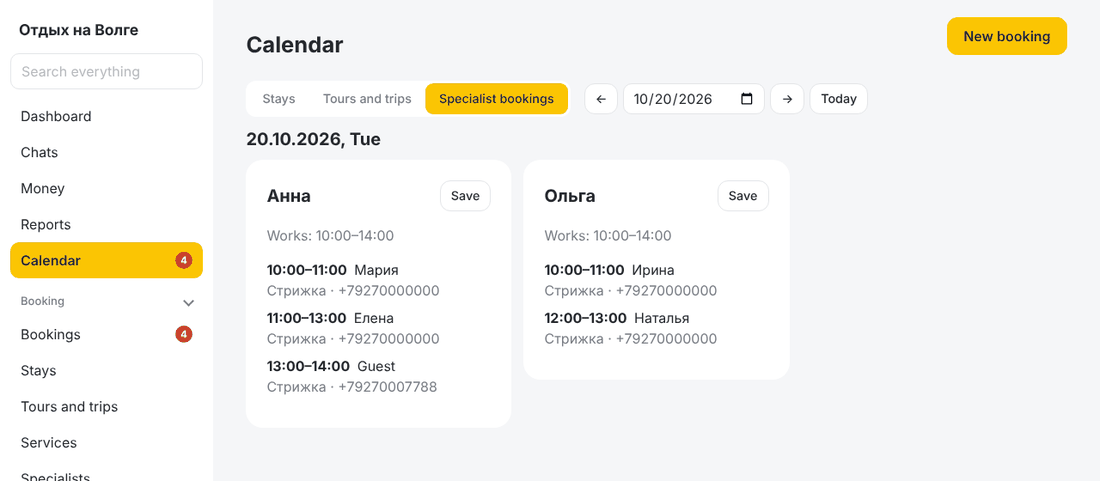
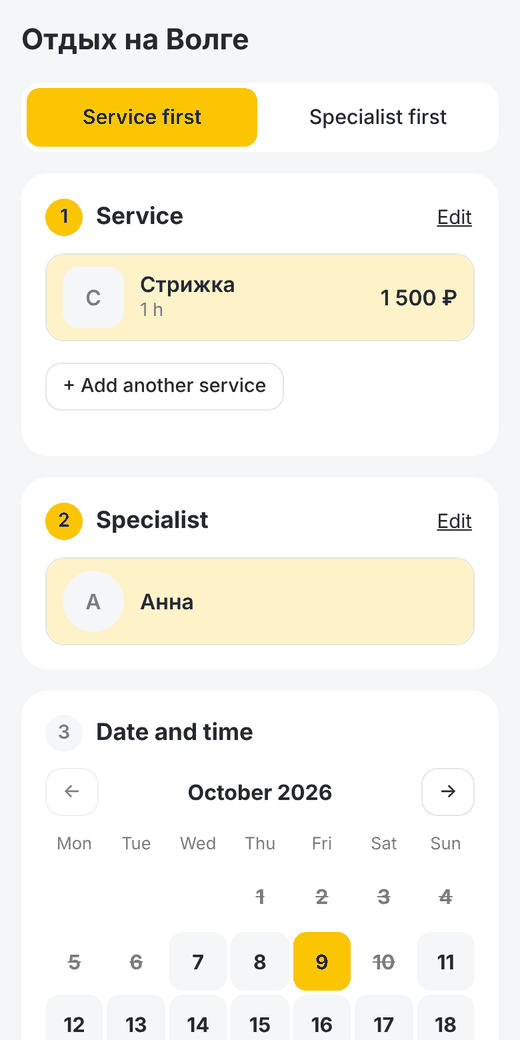
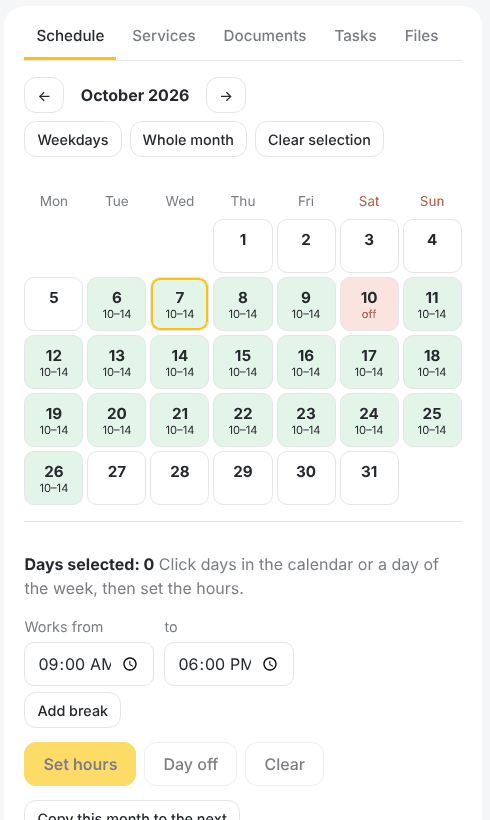
The screen shows demo data.
Up and running in one evening
- 1
Create a workspace
Your name, business name and phone. No card needed.
- 2
Choose what people book with you
Services, stays, tours. The menu keeps only the sections you need.
- 3
Add specialists and services
Or rental properties, or tours with sessions. You can import clients from a spreadsheet.
- 4
Send the link to your clients
The first booking lands in the calendar, and a badge appears in the menu.
Try it with your own bookings
All features are open for two weeks. After that you can stay on the free plan.
Try it free