 BookDo
Company website with online booking
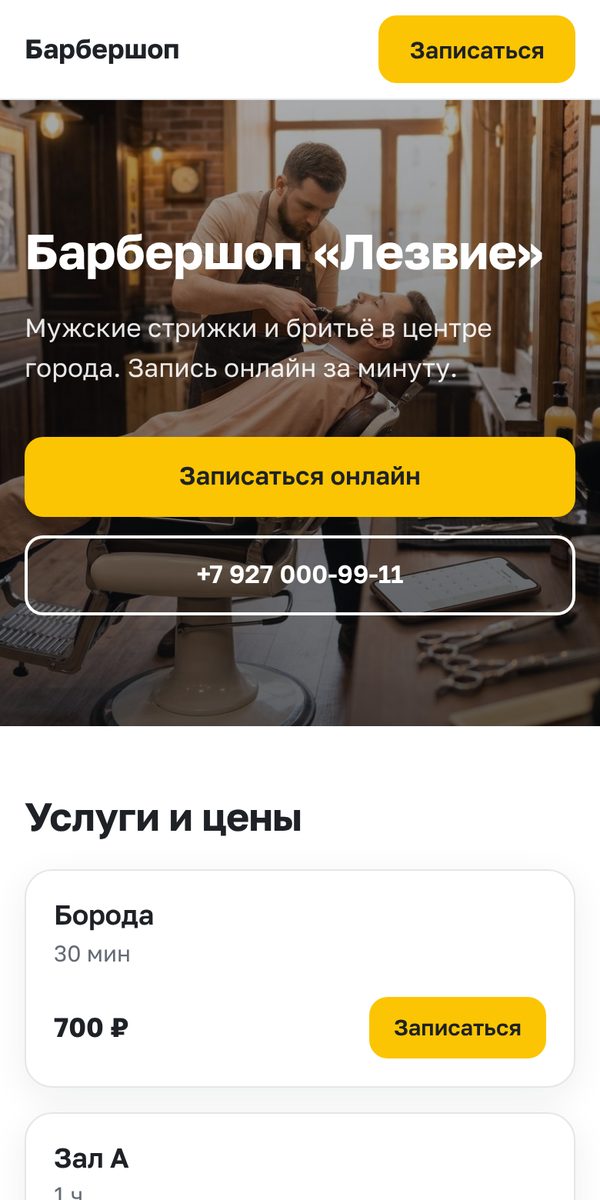
The site is built from what is already in your workspace: services, prices, specialists, reviews, addresses. Nothing to copy or update by hand.
Ready in a couple of minutes
Turn on the blocks you need, write a couple of sentences about yourself and upload a cover. The rest comes from your workspace.
- Services and prices, including “from” for time-based prices
- Specialists with photos and a “Book” button for each
- Online booking right on the page: the same form as by link
- Client reviews you marked for display
- Branches with addresses and a map link, phone, messengers
- Light and dark theme, works well on phones
Lower costs
The website is included in any paid BookDo plan.
No site builder or hosting
No separate payment for a site builder, hosting and connecting online booking to another site.
No manual updates
Change a price or add a service or specialist in the workspace and the site updates itself. No need to keep someone for this.
Own domain
Connect your own address, for example salon-anna.com. The security certificate is issued automatically.
More bookings
The site is built for booking: every service and every specialist has its own button.
Booking in two taps
A client taps “Book” next to a service and sees free time right away. No phone call needed.
Visible in search
The page gives search engines a title, description and sitemap, so people can find you on Google and Yandex by name and services.
One link everywhere
Put the site address in social profiles, on maps, business cards and a QR code on the door.
How to launch
- 1
Open the “Website” section
In the workspace: “Booking” → “Website” → “Create website”.
- 2
Set it up
Heading, a couple of sentences, cover, which blocks to show. Check it in preview.
- 3
Publish
Tick “Published”. The site opens at your workspace address: your-name.bookdo.ru/site.
- 4
Connect a domain
Optional: enter your domain and add the two records shown in the workspace at your registrar.
Questions
How much does it cost?
The website is included in any paid plan. On the free plan you can build and preview it, and publish after switching to a paid plan.
Can I have several websites?
Yes, if your plan includes several websites, for example for different branches or directions. Each has its own address, services and texts. The number of websites in each plan is shown in the pricing table.
Do I need my own domain?
No. The site works at your workspace address right away. Your own domain is optional.
I already have a website
Then you can embed online booking into it instead: as a button, a pop-up or a schedule right on the page.
Can I change the design any way I like?
No, and that is on purpose: blocks, order, texts, cover and button color can be changed, while the layout stays neat on any screen.
Build your website in a couple of minutes
Everything is open for the first two weeks, so you can publish the site right away.