 BookDo
Online booking for psychologists
It is easier for a client to press a button than to write "I need to move our session". Booking and rescheduling happen without explanations.
How this business works
A psychologist in private practice sees clients in an office or online. A session lasts about an hour, with a pause between sessions. Clients come regularly, often at the same time.
In a counselling centre several specialists share rooms, and the room timetable becomes a task of its own.
What gets in the way
The first step is hard for the client
Not everyone is ready to write to an unfamiliar specialist and negotiate a time. Some people stop right there.
Rescheduling and cancelling
Discussing them in chat is awkward for both sides.
Late cancellations without payment
The time was taken, the session did not happen.
A shared room
Two specialists booked clients into one room at the same time.
How BookDo handles it
Booking without a conversation
The client opens the link, sees the free hours and books. Writing or calling is optional.
Reschedule and cancel with a button
In the client account it takes two taps.
Prepaying a session
Through ATOL Pay the client pays by card when booking.
Pauses between sessions
Breaks are set in the schedule and cannot be booked.
Several specialists
Each has their own schedule and booking link, with access rights kept separate.
What it looks like
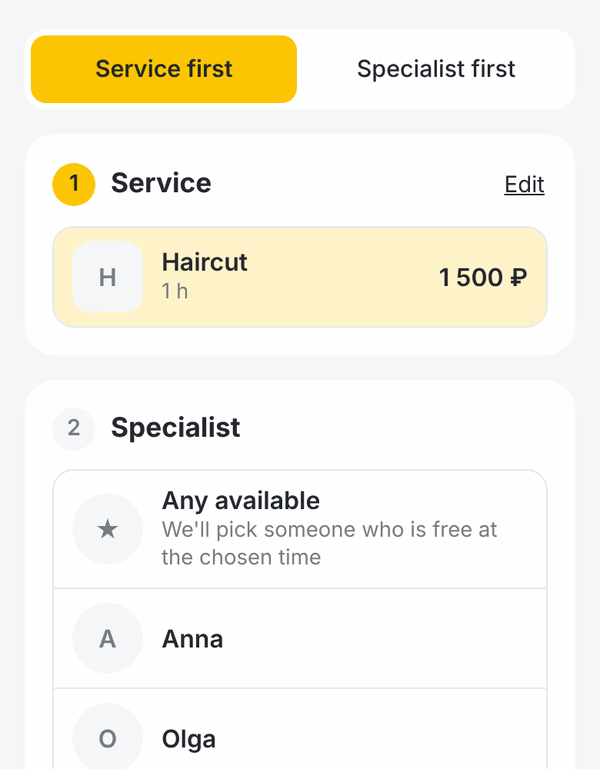
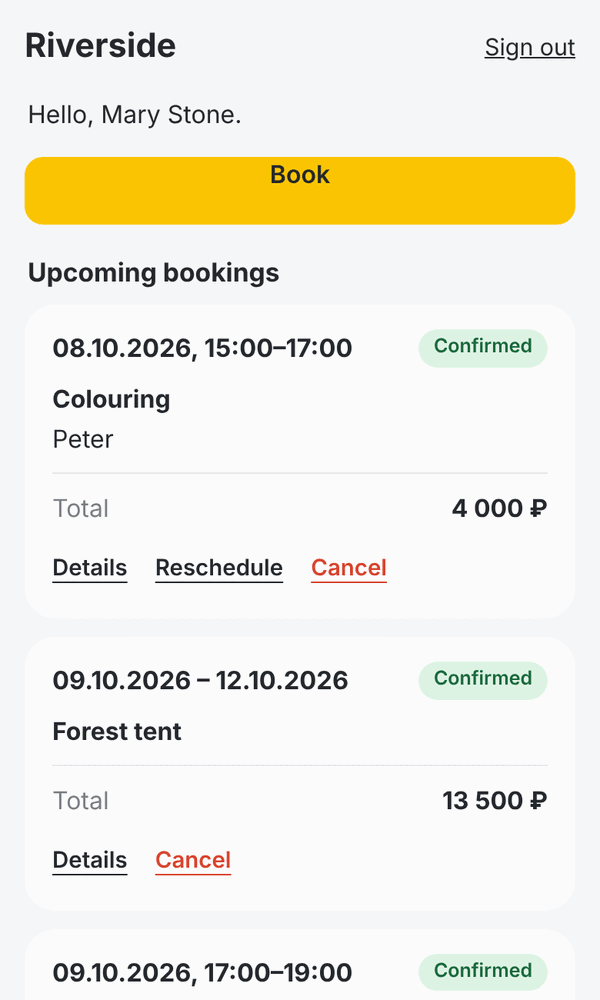
Demo data on screen.
Common questions
Who sees client data?
Only the staff of your workspace to whom you gave access. In a centre, rights are set by roles.
Does the client need to install anything?
No, everything opens in the browser.
Can I keep session notes?
A booking has a note field. BookDo is not meant for detailed therapy records.
Try it on your own bookings
Create a workspace and add a couple of services. If you get stuck, write to us: we will set it up together and show your staff how to use it.
Try it free